In this article we explain how the IC-Smart Touch can be connected to the POS using different methods.
In this article:
POS connections options
Protocol overview
NOTE:
Before any work is done on Bever Innovations' equipment, please make sure that you are familiar with all Safety rules and precautions for working with Bever Innovations' equipment.
POS Connections options
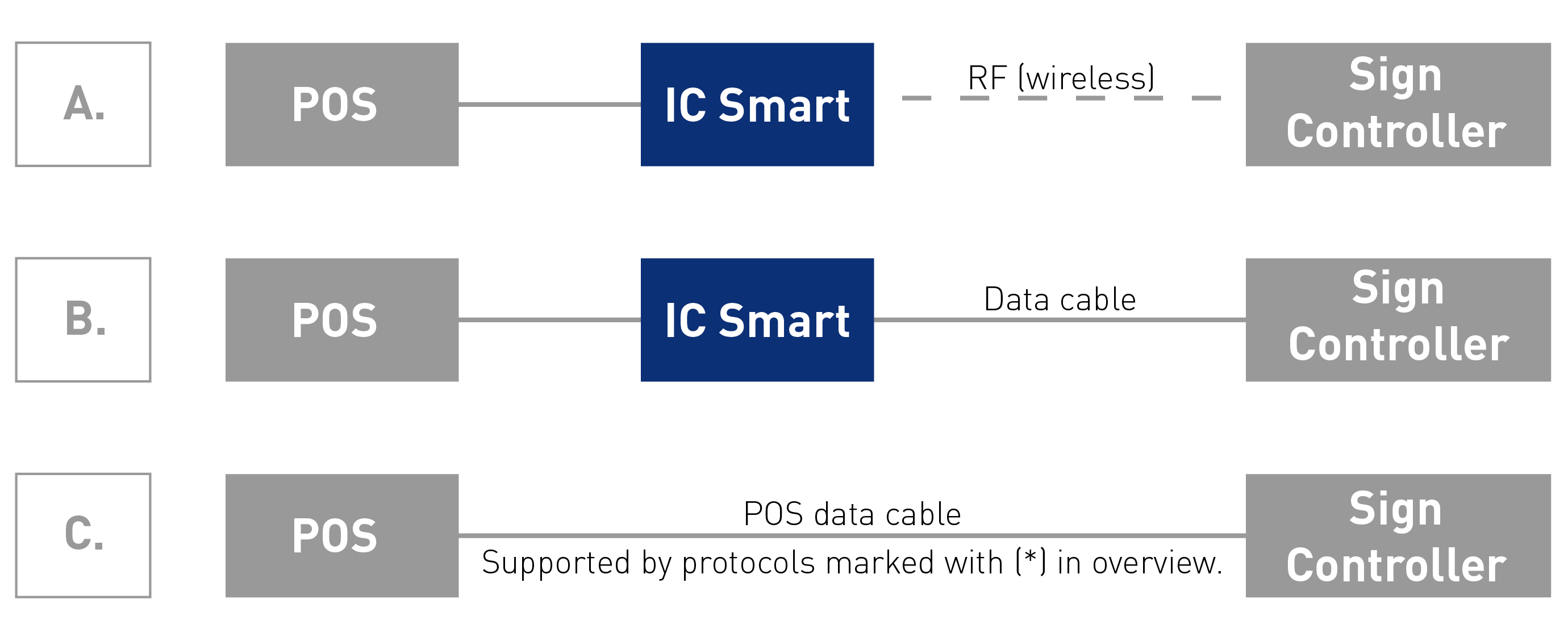
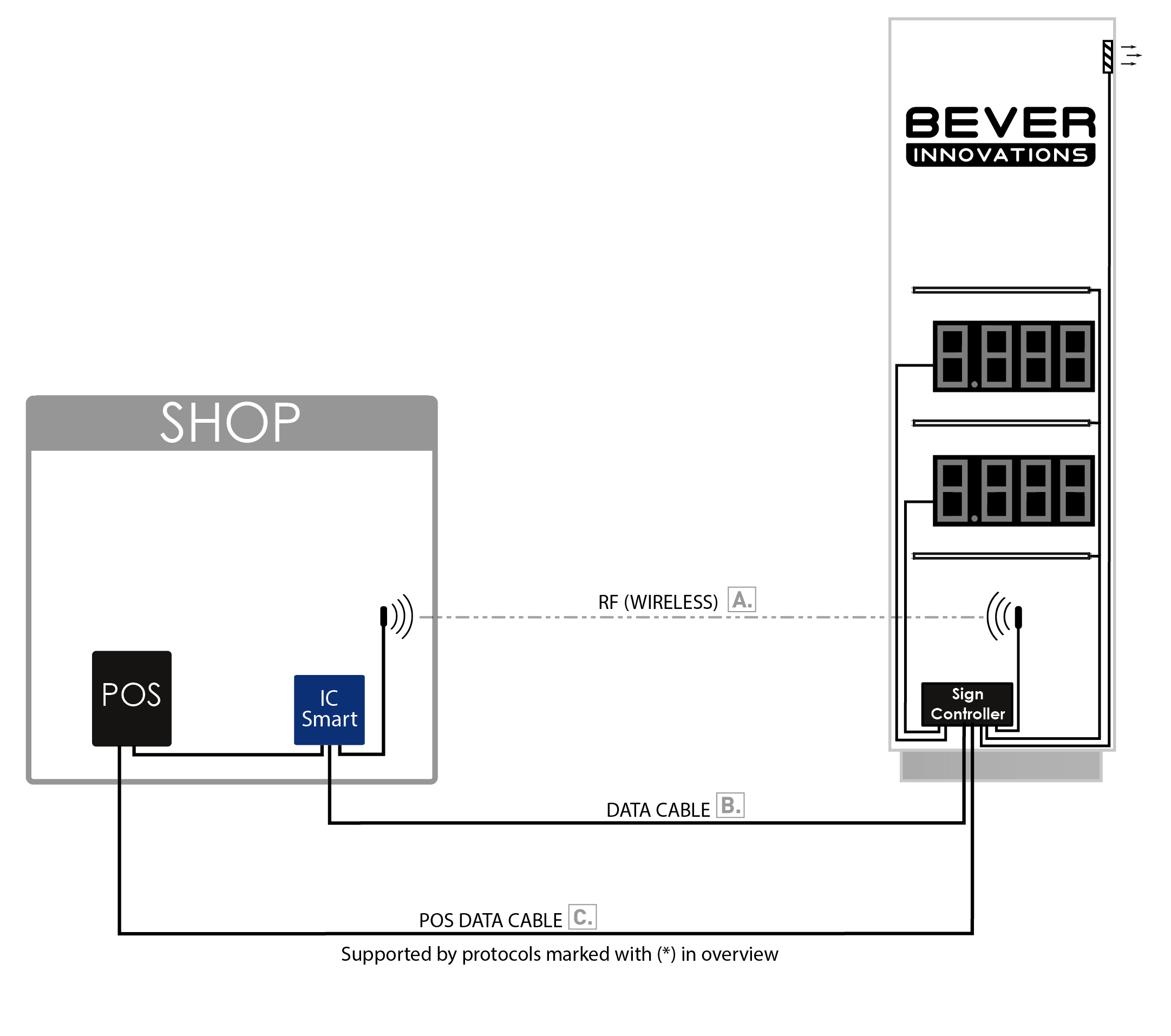
Sign with POS Connection:
Protocol overview
The IC-Smart Touch can be connected to POS Systems with a large variety POS protocols.
The complete list of POS Protocols is available.
Connection methods
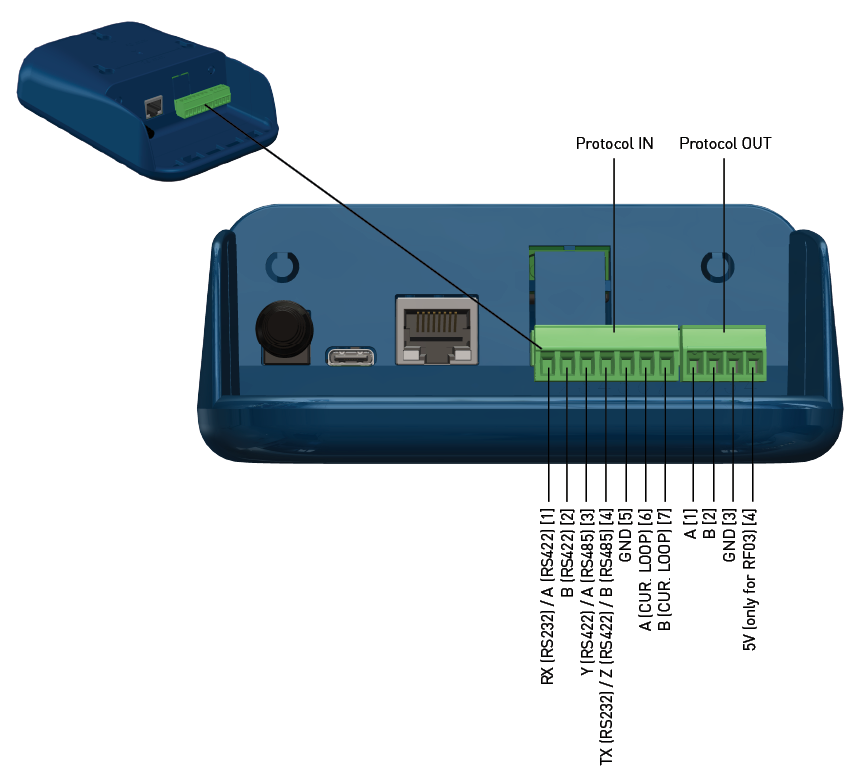
If POS connection option A or B is used, then the POS needs to be connected to the Protocol IN port of the Interface Controller.
The connection method depends on POS protocol.
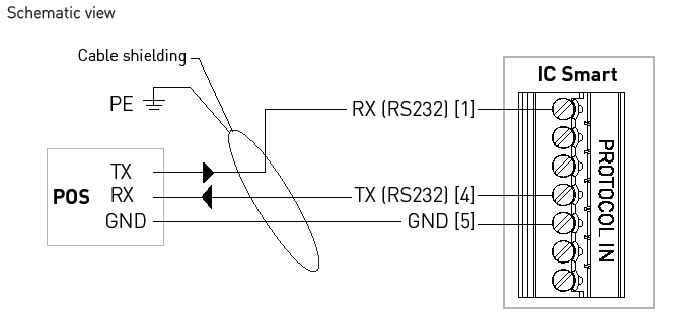
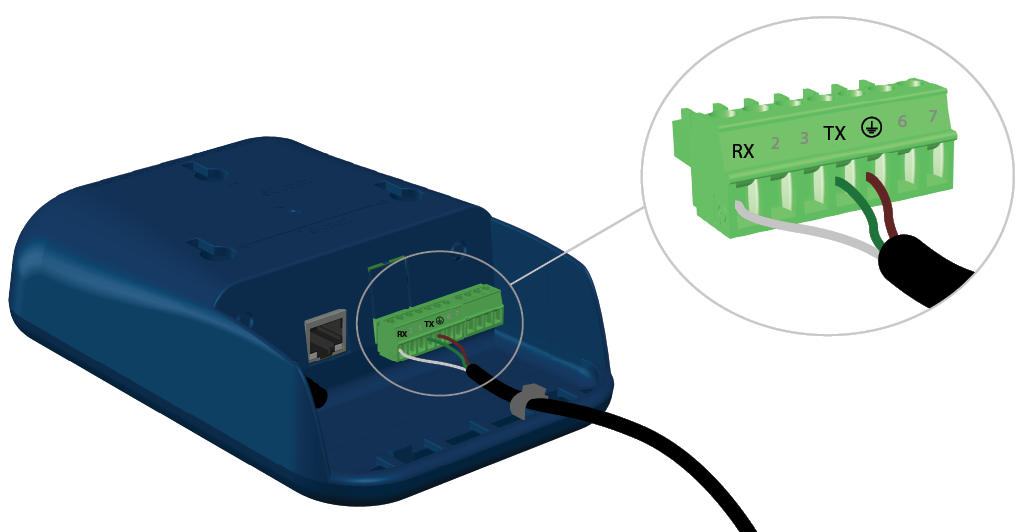
RS-232
- This protocol uses a three wire connection.
- The data cable must be a twisted-pair (2 x 2 x 0,25mm2) shielded cable.
- Always make sure wire ferrules are applied to the data cable.
- Connecting the GND is mandatory for trouble free operation.
The 7-pole Protocol IN connector is located at the back of the IC Smart.
Use the schematic view for the correct connections. The numbers shown on the protocol IN connector of the IC-Smart (Touch) are equal to the numbers shown in the schematic view.
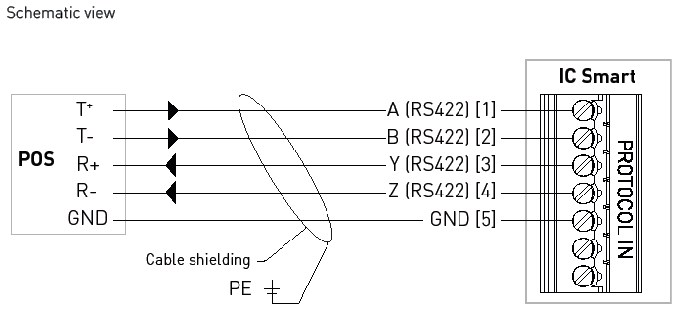
RS-422
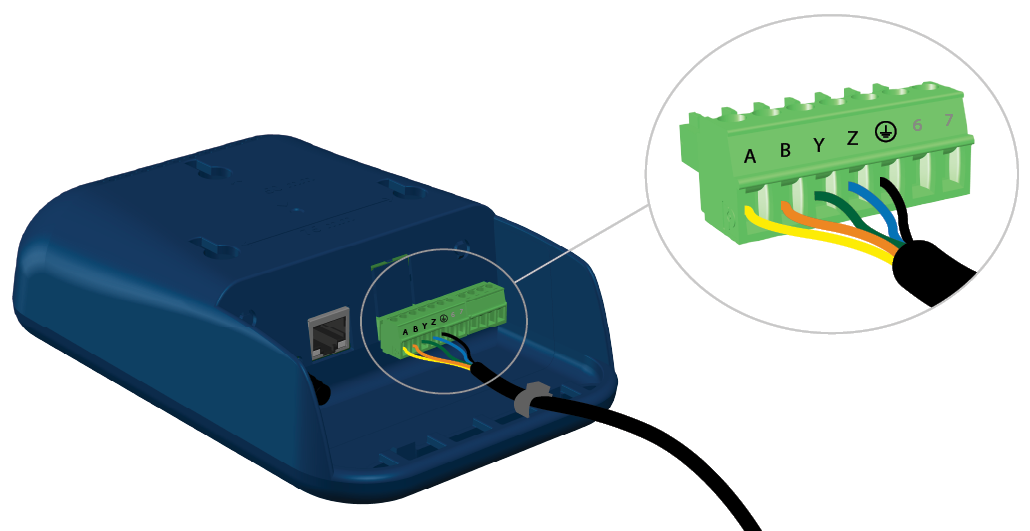
- This protocol uses a five wire connection.
- The data cable must be a twisted-pair (3 x 2 x 0,25mm2) shielded cable.
- Always make sure wire ferrules are applied to the data cable.
- Connecting the GND is mandatory for trouble free operation.
The 7-pole Protocol IN connector is located at the back of the IC Smart.
Use the schematic view for the correct connections. The numbers shown on the protocol IN connector of the IC Smart are equal to the numbers shown in the schematic view.
RS-485
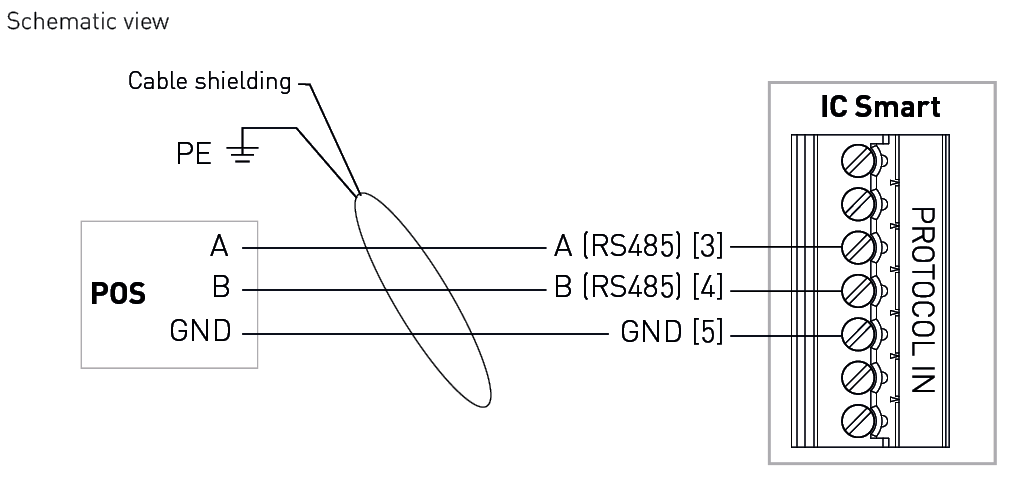
- This protocol uses a three wire connection.
- The data cable must be a twisted-pair (2 x 2 x 0,25mm2) shielded cable.
- Always make sure wire ferrules are applied to the data cable.
- Connecting the GND is mandatory for trouble free operation.
The 7-pole Protocol IN connector is located at the back of the IC Smart.
Use the schematic view for the correct connections. The numbers shown on the protocol IN connector of the IC Smart are equal to the numbers shown in the schematic view.
Current Loop (CL)
Current Loop (CL) is used for the protocol EIN
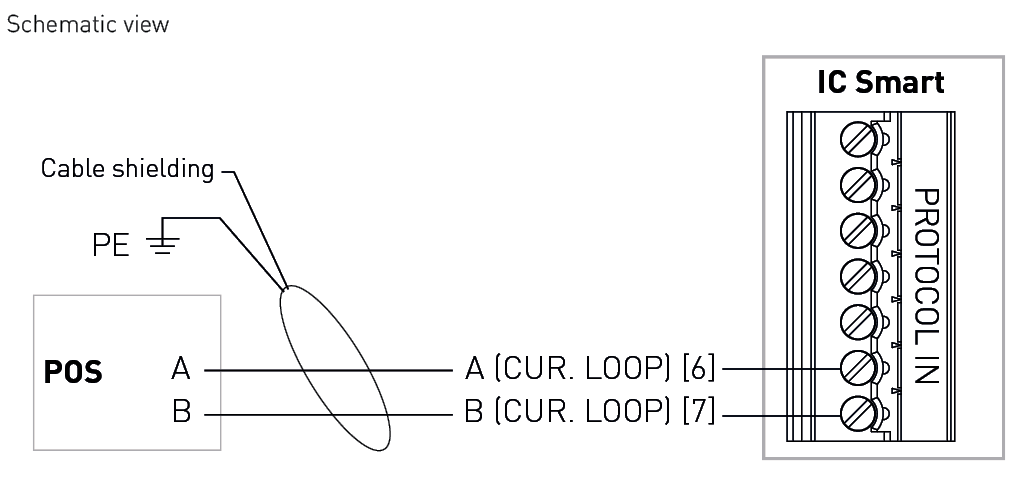
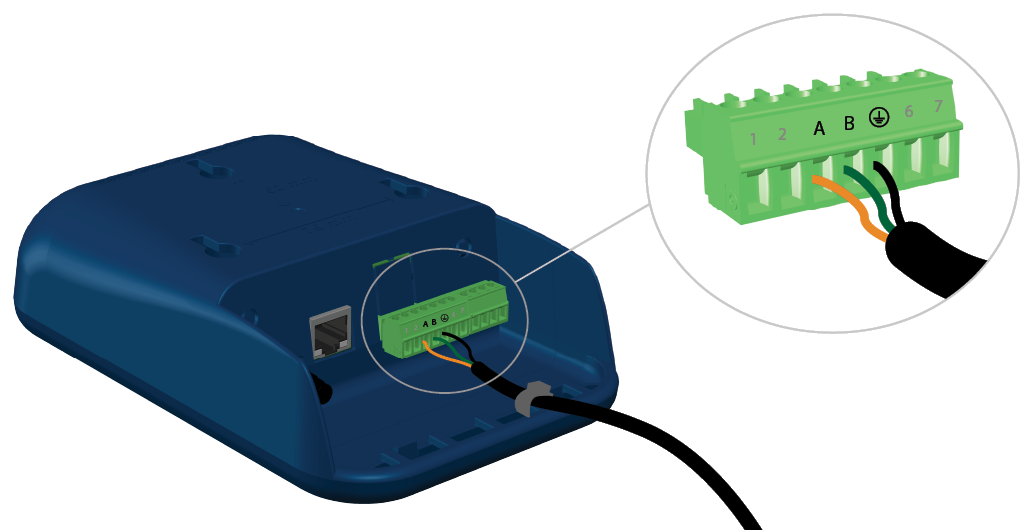
- This protocol uses a two wire connection.
- The data cable must be a twisted-pair (2 x 0,25mm2) shielded cable.
- Always make sure wire ferrules are applied to the data cable.
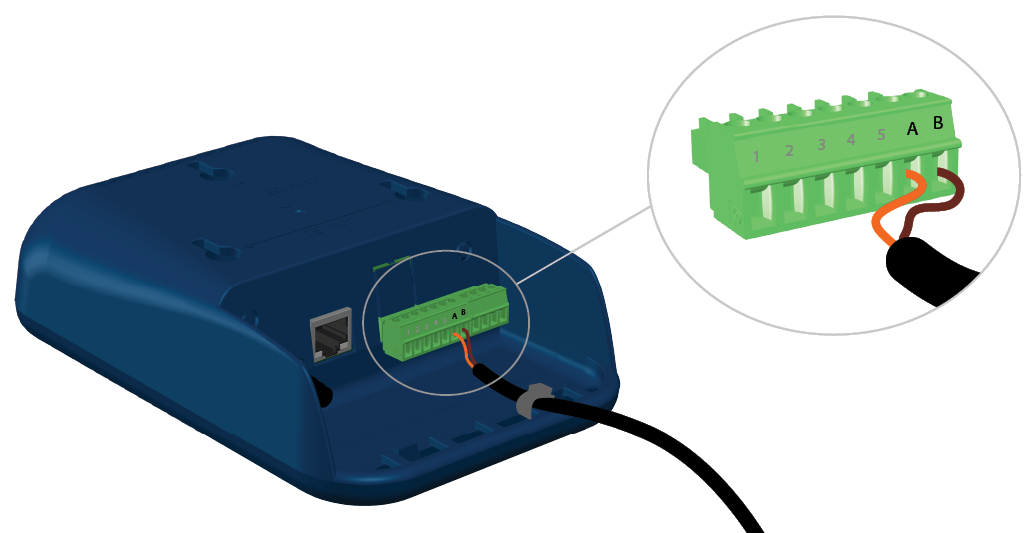
The 7-pole Protocol IN connector is located at the back of the IC Smart.
Use the schematic view for the correct connections. The numbers shown on the protocol IN connector of the IC Smart are equal to the numbers shown in the schematic view.