
It's always annoying when products break down. Fortunately, we can repair many products. Before you return your Bever product for repair, we would like to ask you to check whether your product is still under warranty.
If your product is out of warranty or we cannot repair it, it is a waste to send it back.
In this article, we describe the steps you need to take before returning a product to Bever Innovations.
Check your device's limited warranty coverage
The standard limited warranty term may vary from product to product:
Lighting
5 years
Contour lighting
5 years
Price change units / Display
3 years
Video screens / Full colour displays
2 years
Bever Smart devices (bridges and communicators)
2 years
LeafCarriers
2 years
NOTE:
Other agreements regarding the warranty period may have been made with you, If you are unsure, contact Bever Innovations Tech Support
If you don't know how old your product is, you can find out from the production date or barcode.
Find out the production date or serial number
Look here first
All Bever product have a product label with production date, barcode and other mandatory information.
The production date can be found on the product label and consists of 4 digits, the production week and production year. 
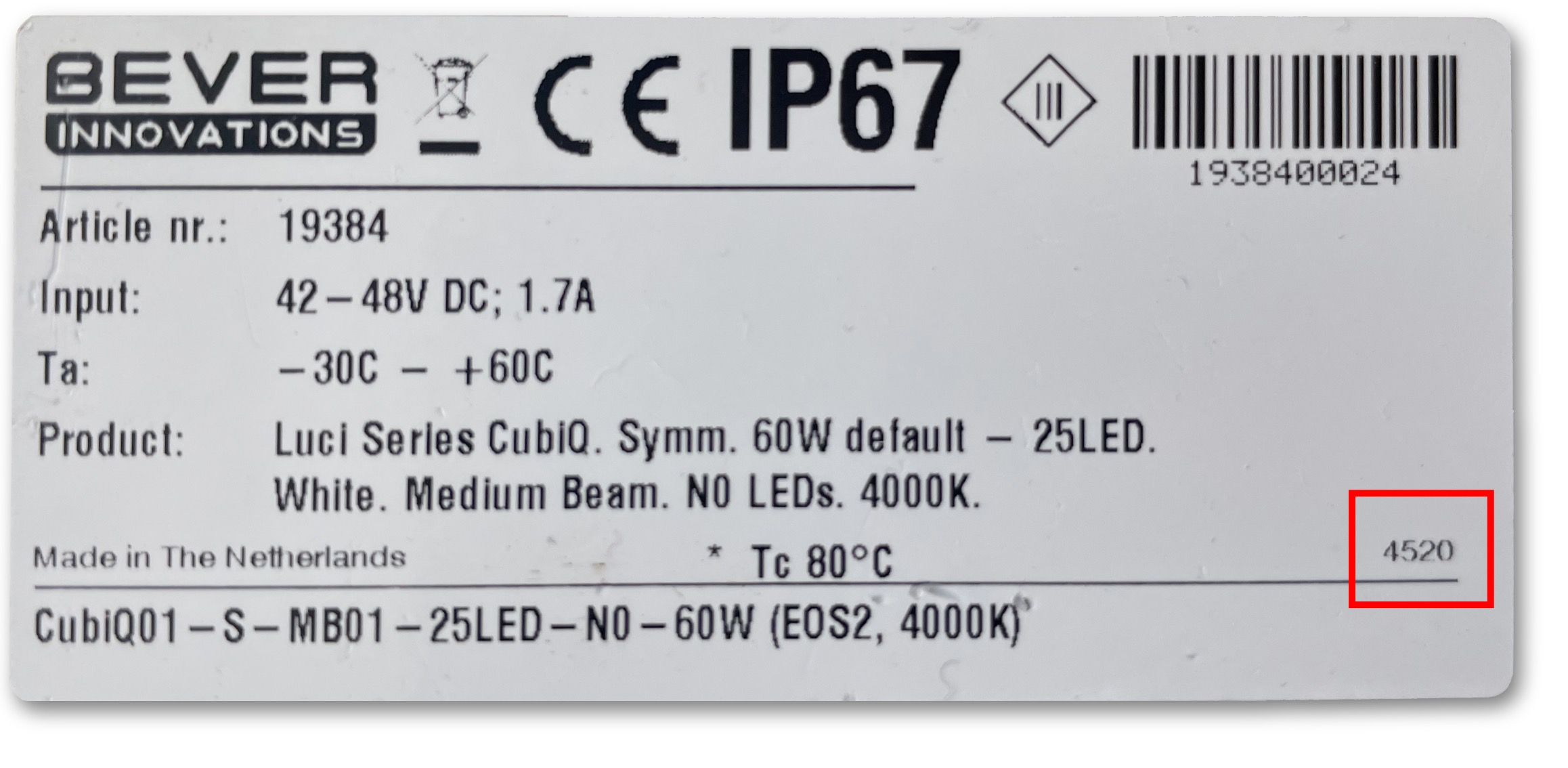 In these example is the Luci02 produced week 21 of 2023. The CubiQ week 45 of 2020
Can't find the date? Check the serial number!
The serial number of your Bever product is the number below the Barcode. If you have the serial number please let us know and we can find out if your product is still within its warranty period.